

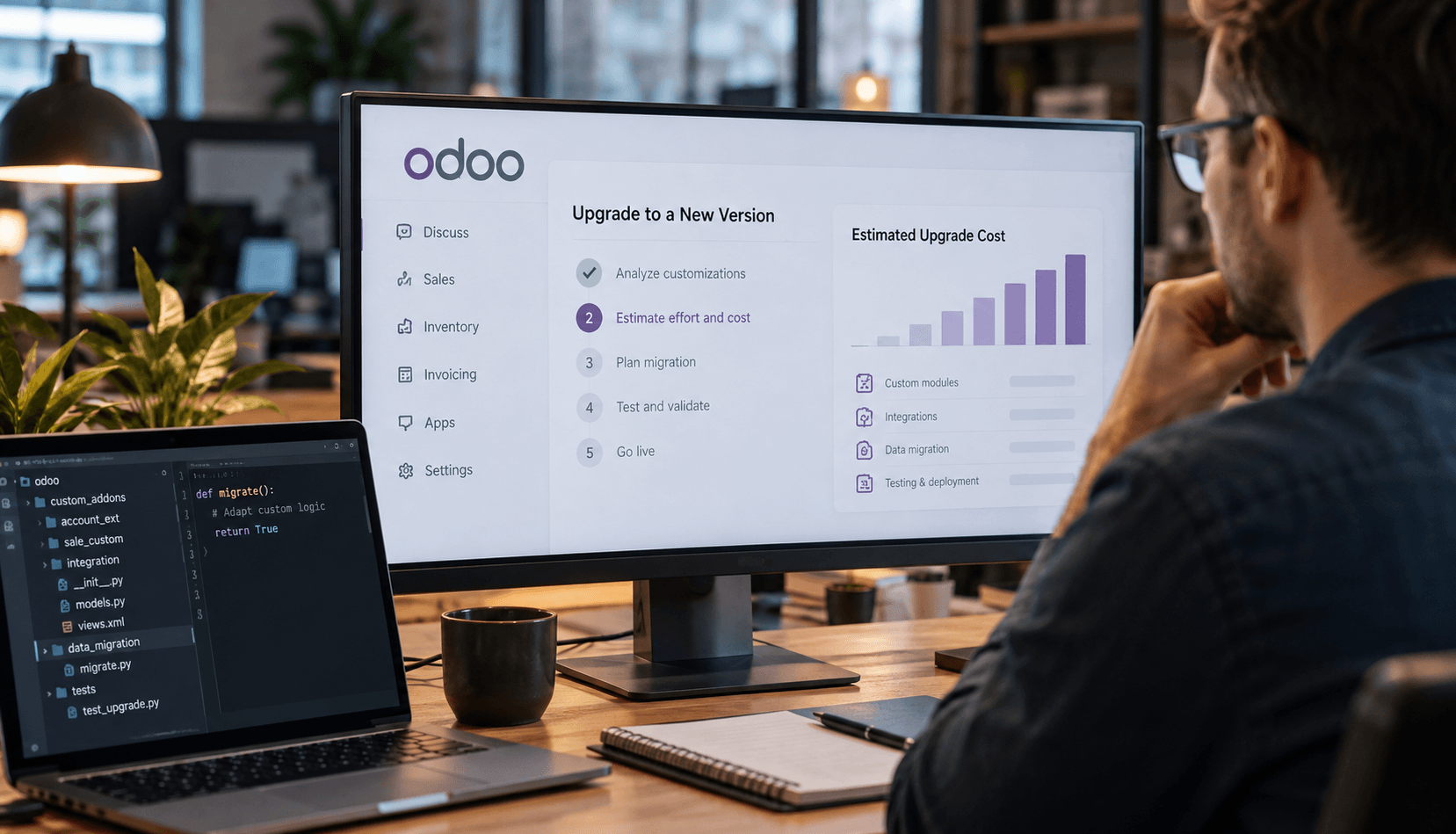
| Summary: Upgrading Odoo can vary significantly in cost depending on the system’s custom modules, integrations, data quality, hosting setup, and the number of versions being skipped. This article explains what happens during an Odoo upgrade, which factors have the biggest impact on cost and timeline, and when it makes sense to upgrade a legacy Odoo version instead of postponing the migration. Companies planning an upgrade can use an Odoo upgrade calculator to estimate Odoo upgrade costs before requesting a detailed technical assessment or Odoo upgrade service. |
You’ve been using Odoo 14 for several years now, and during that time, the system has accumulated two dozen customizations: business processes have been modified, modules have been added, integrations with other systems have been implemented, custom reports have been created, and so on. At this point, you realize that it’s time to upgrade your company’s Odoo to the new version. In response, your partner sends you an estimate that’s almost as high as the cost of a new implementation. The first question that comes to mind is: “Why is the Odoo upgrade so expensive?” After all, you weren’t planning on implementing the system from scratch. Then, most likely, you start wondering whether you even need this upgrade at all. Sound familiar? If so, this article will be helpful for you, since finding the answer on your own can be quite confusing. The thing is that everything depends not only on the Odoo version, but also on the number and complexity of customizations, as well as integrations and data. In this article, we’ll break down what makes up the cost of an Odoo upgrade, explain how to estimate future expenses, and discuss when postponing an upgrade becomes more expensive than doing it now.
What Actually Happens During an Upgrade
At first glance, it might seem that there’s nothing special about the Odoo upgrade and that it’s simply a matter of migrating the system from one version to another. However, during an upgrade process using Odoo upgrade services, it’s actually important to manage three different parts of the system, and this is where confusion about cost often arises. Below, we’ll explain these three aspects and how they work.
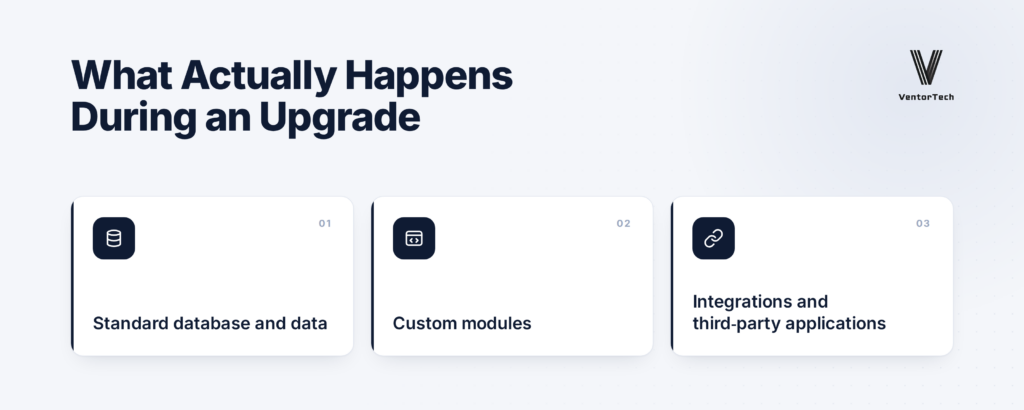
Standard database and data
Keep in mind that a large database does not necessarily mean an expensive upgrade. The standard Odoo upgrade mechanism transfers data and standard functionality to the new version, and the number of records is not a key factor in pricing, but rather an important aspect for planning and testing.
Custom modules
Here, the scope of work is typically much greater. This is because custom code does not automatically carry over to a new version and must be adapted or rewritten to account for changes in the platform. At the same time, it’s important to understand that not every custom module needs to be migrated, and to determine whether migration is necessary, it must be analyzed. In many cases, custom modifications were created several years ago to address gaps in the standard system at that time; however, the system has been improving year after year. In other words, the platform’s functionality may have changed since then, and the required feature may now be available in the standard version. In such cases, it would be much more cost-effective to discontinue the custom feature and switch to standard functionality.
Integrations and third-party applications
In this situation, everything depends on compatibility with the new version of Odoo; if the developer has already released a new version of the module or integration, then the transition will be fairly straightforward. Otherwise, you’ll have to find an alternative or migrate the existing solution. Thus, the Odoo upgrade service cost is determined primarily by the scope and complexity of customizations and integrations, rather than by the size of the database.
Factors That Determine the Cost
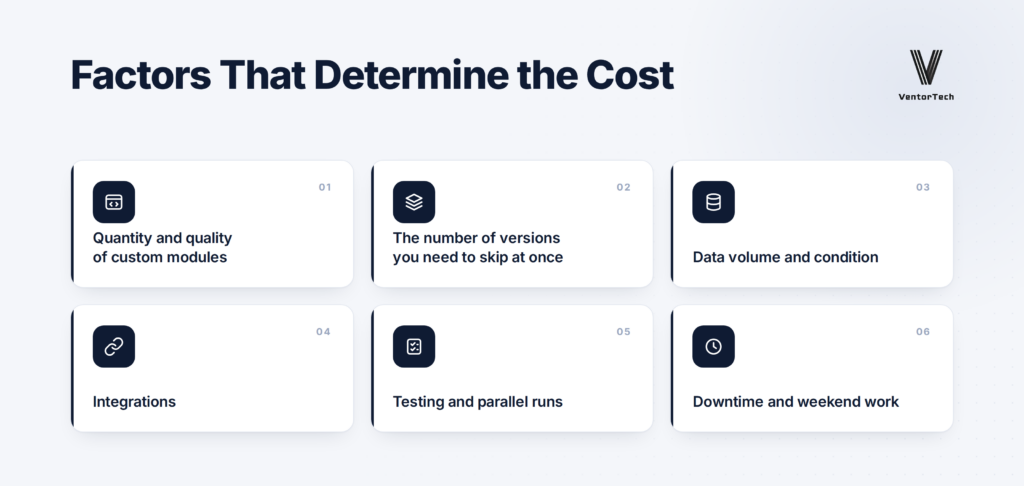
Quantity and quality of custom modules
The price of an Odoo upgrade is not a fixed rate for switching from one version to another, and two dozen customizations can result in vastly different migration costs. If the code is clean and well-structured, the adaptation process usually goes quickly and smoothly. However, if changes were made to the Odoo core several years ago, or if the code is difficult to maintain, this directly increases the cost estimate, as such situations require detailed analyses and rewriting.
The number of versions you need to skip at once
The more versions you need to skip, the more difficult the transition will be. For example, migrating from Odoo 19 to Odoo 20 will be much easier than migrating from an older version to the current one. Keep in mind that more changes needed between versions will require more work with the code, data, and testing. Here, we’re talking about Odoo migration services from an older version of Odoo to a newer one, not a transition from another system to Odoo (in the latter case, there are many other differences).
Data volume and condition
As we’ve already mentioned, a massive database doesn’t necessarily mean a large budget, because everything depends on the condition of the data, not on the amount of it, that is, on how well the data is structured and whether it needs to be cleaned up before migration. Common problems include duplicates, outdated records, and data that is no longer used, as these types of issues create additional work.
Integrations
The most in-demand integrations are accounting systems, e-commerce, delivery services, payment services, and warehouse equipment. All external systems must be checked for compatibility with the new version of Odoo, and if an integration requires modifications, the process will naturally take more time and incur higher costs.
Testing and parallel runs
This is precisely the part of the budget that is most often underestimated. After a technical upgrade, it’s not enough to simply verify that the system launches. You also need to verify key business processes, integrations, data, and reports. In addition, in such cases, a side-by-side run of the old and new systems should be conducted to compare results before the final migration in order to reduce the risk of errors.
Downtime and weekend work
If a company cannot afford a prolonged system outage, it is important for the team to plan the upgrade in a way that minimizes downtime. In such cases, the final migration is carried out at night or on the weekend, and this can also affect the budget.
How Much Does It Cost in Practice?
There is no single price for an Odoo upgrade; even when two companies are using the exact same version of Odoo, they can receive completely different estimates. As we’ve mentioned many times, it all depends on customizations, integrations, and the overall condition of the system. Instead of trying to immediately estimate an Odoo upgrade with specific figures, it’s best to assess your own environment first.
Here are the key parameters you need to know for a preliminary assessment of Odoo:
- Odoo version: which version you’re migrating from and how many releases you’ll need to work through
- Number of custom modules: how many features have been added or modified to meet your business needs
- Data volume: the approximate size of the database and the amount of data that needs to be migrated
- Integrations: the number of systems involved, such as accounting, e-commerce, delivery, and others
- Hosting type: Odoo hosting options, such as Odoo.sh, or Odoo On-Premises, have different requirements for the upgrade process and affect the complexity and cost of the transition.
Having this information available will result in the most realistic initial estimate possible; however, it’s important to understand that the exact cost can only be determined after a technical analysis of your custom code, data, and integrations. If you need this kind of preliminary estimate, you don’t have to wait for a full technical audit. You can use the Odoo upgrade cost calculator on our service page and get a rough estimate in just five minutes. All you need to do is enter the parameters of your system, as described above, and you’ll have an idea of the potential cost range even before a detailed discussion about the project.
How Long It Takes and What Happens to the Company’s Operations
When discussing the timeline to upgrade a legacy Odoo version and its impact on business processes, it’s important to understand that most of the preparation takes place in test mode and does not disrupt the company’s operations, since employees can continue working normally with the old version of the system. The first thing the team does is to set up a test environment and migrate a copy of the database there. In this environment, modules are adapted, integrations are tested, and the system is prepared for the transition. Next comes work on key business scenarios, such as purchasing, sales, warehousing, accounting operations, and other processes critical to your specific company.
It’s crucial here not only to verify that the system starts up, but also to ensure that real-world operating scenarios meet expectations and produce the desired results. A practical example of this approach is the VDO Webshop Odoo upgrade case study, which provides a detailed account of the actual Odoo upgrade experience.
If the interface has changed in a new version of Odoo, users are shown these changes in advance and, if necessary, receive brief training. This significantly reduces the risk that the team will waste time searching for and learning how to use features in the new system. The final migration is typically scheduled for a time when the company’s workload is at its lowest, usually at night or on weekends, to minimize downtime. Before the final launch, the team agrees on a specific downtime window during which the system will be unavailable. During the planning phase, it’s also important to anticipate what the status of inventory and sales will be at migration time. For example, you can suspend critical operations before this window begins to ensure that information is displayed correctly in the system.
How to Tell When You Can Postpone an Upgrade and When You Can’t
The release of a new version of Odoo isn’t necessarily a reason to switch to it right away, since it all depends on your specific situation. If your current version is still supported, your customizations and integrations are working reliably, and there’s no real need for new features, then you can certainly plan an upgrade at a later date. You’ll have more time to prepare everything in advance. However, if your current Odoo version no longer has standard support, postponing the upgrade becomes risky. Other signs that an Odoo upgrade is truly necessary include security issues, limitations that have been resolved in the new version, or the discontinuation of third-party modules you rely on.
In addition, Odoo charges an extra fee for extended support for databases running on older versions, which, under certain conditions, amounts to 25% of the annual subscription cost. Therefore, postponing an Odoo upgrade is not always a cost-saving measure, because instead of paying for the old version, you can allocate those funds toward the upgrade itself by using the Odoo upgrade calculator to determine approximate cost.
Not sure what budget range to expect?
Enter your project parameters into our Odoo Upgrade Calculator and get a preliminary estimate before speaking with an Odoo implementation partner.
Final Thoughts
If you realize that it’s time to upgrade a new version of Odoo, the first step isn’t always to meet with a contractor and conduct a detailed technical audit, especially if you don’t yet know what the cost range will be in your case. The first thing you need to do is evaluate your system based on the criteria we’ve outlined in this article. The simplest and fastest way to get an initial estimate is to use the Odoo upgrade cost calculator. It automatically processes your data and provides a rough estimate in just a few minutes. If, after that, you have a good understanding of the budget and are ready to move on to a more detailed assessment, the next step is to fill out the estimate request form. This will kick off your conversation with the contractor once you’re prepared and have a basic understanding of your own system and the expected scope for the upgrade.
Recommended articles:
- Odoo ERP for a Growing Nutrition and Supplements (Nutraceuticals) SMBs
- What Nutrition Manufacturers Actually Want from Their Software
- Why Odoo Works for Thousands but Failed for You? The Hidden Truth Behind Odoo Complaints
- How to Calculate Odoo Workers for Demanding Systems
- Odoo Implementation Steps
- Odoo Access Rights Structure
- AI Order Processing in Odoo
- Odoo EDI Integration
- Key Performance Indicators (KPIs) and their Role in Successful ERP Implementation
- 10 most common questions to the official Odoo partner

----------------------------------------------------------------------
Education: Bachelor's degree.
----------------------------------------------------------------------
Experience:
Marketing manager
VentorTech
----------------------------------------------------------------------
Current position: Marketing manager VentorTech
----------------------------------------------------------------------
B2B Marketing
Google Tag Manager and GA



0 Comments