


| Summary: This article explains what to do when an Odoo implementation failed or a company is dealing with a failed Odoo implementation. It covers the main warning signs of project failure, common reasons implementations go off track, and why an audit should come before an Odoo takeover or partner replacement. The article also explains how Odoo recovery typically works, from assessing the current system and stabilizing critical issues to defining the right rescue plan, budget, and timeline. |
You can imagine that you’re already experiencing the third go-live postponement, yet the warehouse is still keeping records in Excel, and the accounting department is reconciling data in spreadsheets. The implementation of Odoo has already taken several months, but the business still cannot operate fully within the system. Or perhaps, Odoo has already been launched, but its figures are not trusted, so parallel record-keeping is maintained in spreadsheets, and the system is used only when absolutely necessary.
It’s becoming increasingly common for an ERP project to be formally launched, yet the business continues to rely on Excel and ignores the system when it comes to key processes. In such cases, the reality is far from a successful implementation. And it’s precisely in these cases that an ERP rescue is absolutely essential, because this isn’t just another project restart from scratch, but a thorough investigation into the reasons why the Odoo implementation failed. In this article, we’ll explain in detail how to determine whether a project needs Odoo rescue, where problems most often arise, and what to do to get the business back on track.
How a Failed Implementation Actually Looks Like
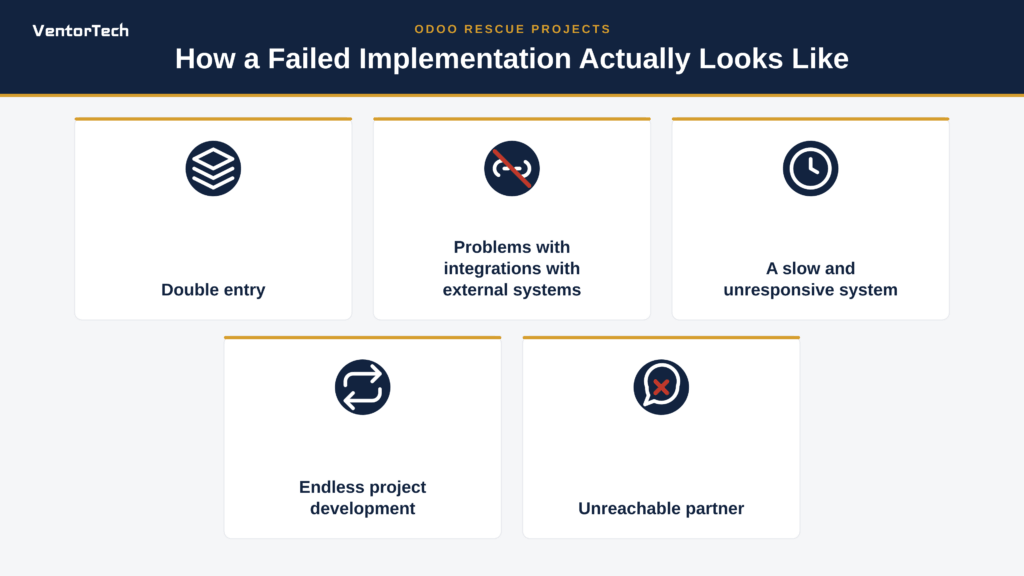
Double entry
This is the most common symptom of a failed implementation. Employees enter data into the ERP just to check the box, but they do their actual work in the old spreadsheets because they don’t trust the numbers in the system. This leads to additional time and financial costs while reducing efficiency.
Problems with integrations with external systems
This is especially true if data exchanges were launched without testing them on large volumes of real-world data. As a result, data is duplicated or lost, operations come to a halt due to API failures, and employees manually transfer reports between legacy systems and the new platform, leading to financial losses and chaos in accounting.
A slow and unresponsive system
Reports are generated every ten minutes, documents are processed with errors, and employees are returning en masse to Excel and paper due to unbearable slowdowns under actual workloads. Another major problem is the constant timeouts and database crashes during peak hours when all employees are working. All of these results in management seeing inaccurate real-time figures and being unable to make decisions.
Endless project development
If you see the endless budgeting process with no actual products to show for it, that’s a clear sign of a failed implementation. The system is developed for years in an isolated environment, accumulating thousands of pages of technical specifications that no one needs, but it’s never actually deployed in a live environment for real users. In such cases, the architecture is often designed around idealized business processes that have never actually existed within the company. As a result, a company leadership becomes disillusioned with any IT initiatives and, for years to come, is afraid to even consider digital transformation.
Unreachable partner
Empty promises from technical support and the lack of a functioning system leave the company with unpaid debts, unconfigured software, an abandoned database, and employees who, due to the chaos, revert to working in Excel. All deadlines for launching the system have long since passed, final testing has not been conducted, refinements are incomplete, and the system generates errors when attempting to process basic documents: These are all signs that you need to urgently find a new contractor to complete the project or conduct an Odoo overhaul.
Key Reasons Why Projects Fail
Based on what we have described above, it becomes clear that implementation failure rarely looks like a catastrophe; it’s more of a slow slide that a company only notices once the damage has already been done. In this section, we’ll discuss the key reasons why Odoo failed for you, and, in some cases, the problem isn’t with the contractor.
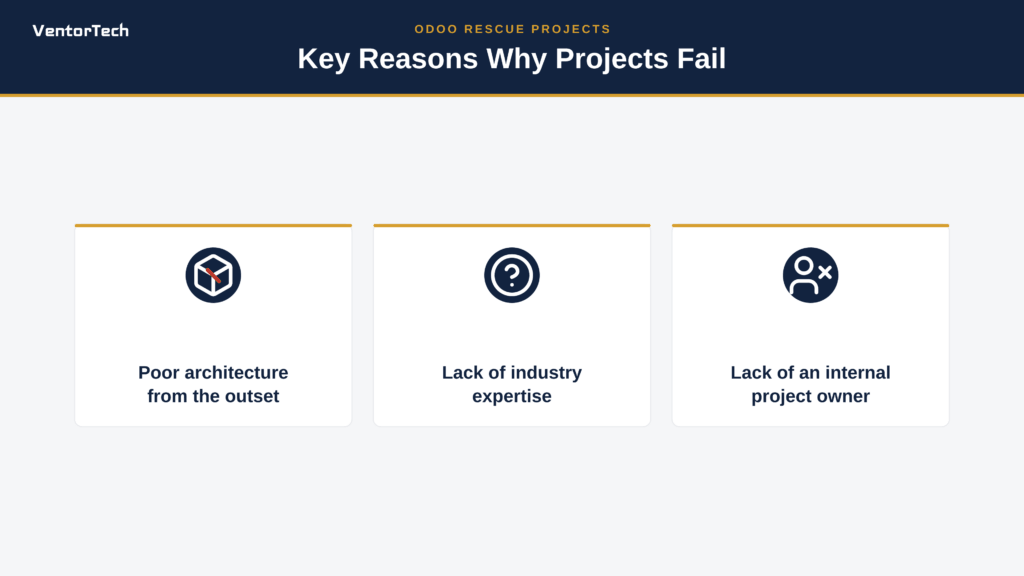
Poor architecture from the outset
Many business leaders mistakenly believe that customization is always the best solution, but such a path doesn’t always work out for the best. If you opt for custom modifications right away instead of using the system’s standard features, it complicates maintenance and updates later on. At first, a custom solution may seem like a great option, since Odoo aligns as closely as possible with the company’s processes. However, after about a year, or even sooner, certain issues arise, such as difficulties with updates or the need for additional testing. It’s important to understand that the problem isn’t customization itself, but rather its appropriateness; problems begin when a custom solution is chosen in situations where the standard functionality would be sufficient.
Lack of industry expertise
In such cases, consultants are unfamiliar with the specifics of the business, and company employees do not understand IT, which results in the system not functioning as expected. Even if the contractor technically configures the system correctly, that is, creates the necessary modules, workflows, documents, and access rights, this does not guarantee the project’s success. It often happens that everything works as intended in the test environment, but after launch, employees discover that the actual process is different. Because of this, employees have to work around the system, perform manual operations, or maintain additional spreadsheets instead of entrusting all these processes to the system.
Lack of an internal project owner
It’s important to understand that without the active participation of the client company, the contractor is forced to implement the system in a vacuum, which leads to a loss of control, budget overruns, and employee resistance to the product. Requirements can change constantly, and the absence of a person who consolidates all the information into a single vision and has the final say usually leads to the project taking longer than planned and money being wasted. Furthermore, the business cannot assess the quality of the work done by external implementers, and ultimately, the expensive system is abandoned, and they revert to their old Excel spreadsheets. In such cases, an Odoo takeover may be necessary to bring the project back on track, but it cannot replace strong ownership on the client side.
What to Do Before Changing a Partner
If you find that your company is in this situation and the implementation has reached an impasse, the right decision would be to start looking for a new partner. However, this doesn’t mean that you don’t need to prepare for this step on your end. Before switching your Odoo implementation partner, it’s important to get a complete picture of the current project and prepare key information. Without this, the new team will have to take many additional steps, which will increase costs and extend timelines.
The first thing you need to confirm before communicating with a new partner is the Odoo version and hosting type, that is, whether it’s Odoo.sh or an on-premise server. This will help clearly identify which technical solutions are available and how complex ongoing maintenance will be.
A new partner will certainly need access to the code, so before the meeting, it’s important to find out where the repository is located and who is the legal owner of the developed modules and other deliverables. In addition, you will have a huge advantage if you can provide a brief description of each module, including the business processes it affects.
In addition to the module descriptions, another important aspect is a complete list of all integrations, such as with CRM systems, accounting systems, marketplaces, and payment services, along with up-to-date information on which ones are actually working. To provide a complete picture, it’s important to identify separately which processes are already operational in Odoo and which ones are still remaining in the tables and require further attention.
The purpose of this preparation for collaboration with a new partner is not only to make things easier for them, but also to ensure that the project rescue assessment is as accurate as possible. The more factual data a company provides at the outset, the more precise the assessment will be and the more effective the collaboration will be.
Rescue in Practice: What It Looks Like
It is important to note is that ERP rescue does not mean starting from scratch, which is more of a last resort that occurs extremely rarely; moreover, in our 14 years of experience in providing Odoo project rescue services, there has never been a case in which we had to restart a project from the beginning. Returning to the meaning of ERP rescue, it involves a set of measures and strategies designed to rectify a situation where the implementation of an ERP system has reached an impasse, exceeded the budget, fallen behind schedule, or is at risk of complete failure. Below, we describe the key stages of the Odoo rescue process that are important to know.
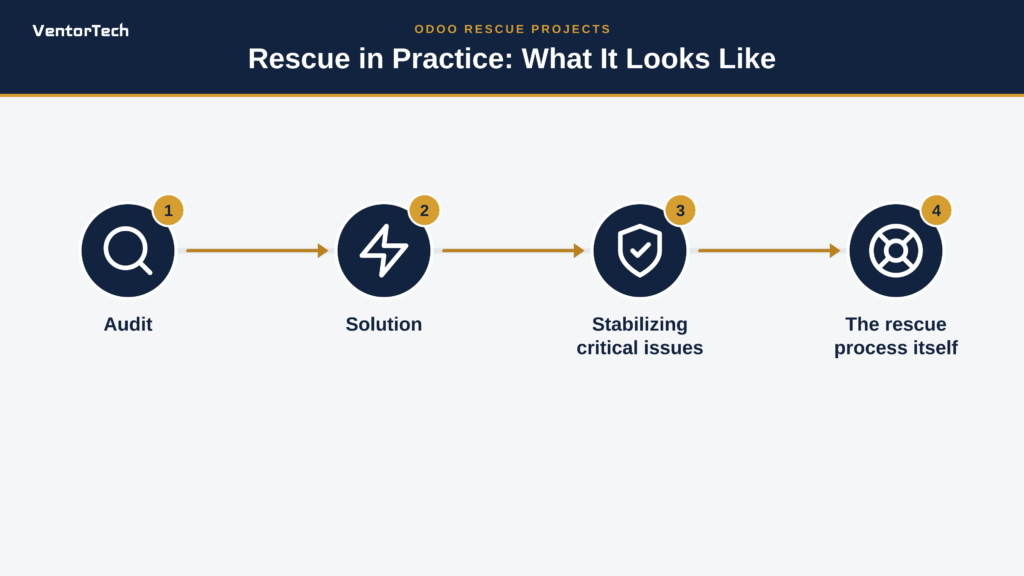
- Audit
This step helps to understand the project’s actual current status and see what exactly went wrong. An Odoo audit is a crucial part of Odoo recovery, and it covers not only the technical aspects, but also the functional ones, such as understanding exactly how the business uses the system. Often at this stage, the causes we mentioned above are identified: excessive customization, a lack of clear requirements, or the system’s incompatibility with business processes.
- Solution
A thorough audit is what determines the next steps, since Odoo rescue is not the only option, and everything depends on the specific situation. Depending on the system’s condition and business objectives, there are three scenarios: rescue, upgrade, or migration. The right decision can be made based on the system’s actual condition, since sometimes Odoo stabilization or upgrading to a newer version of Odoo is sufficient, while in other cases, the best solution will be to migrate the necessary functionality to a new environment.
- Stabilizing critical issues
This phase makes the system a predictable and secure foundation for future work by eliminating the obstacles that are currently hindering business operations. Based on our experience, up to 80% of major issues are resolved within the first 2-4 weeks.
- The rescue process itself
Only after the situation has stabilized can the team move on to implementing the necessary plan, keeping in mind the Odoo implementation steps. When it comes to the rescue, this involves correcting architecture, reducing unnecessary customization or adopting standards, refining processes, resuming integrations, and finally, gradually transferring the business from parallel accounting to Odoo.
How Much Does It Cost and How Long Does It Take?
It’s important to understand that there is no single answer to this question, as each case has its own unique characteristics. However, it should be noted that the audit is considered separately from the stabilization work; this step typically takes about two weeks and costs about $3,000.
The Odoo rescue process itself usually takes from three months and more, and its cost depends on the scope of custom development, the number of integrations, the condition of the data, and on how well-documented the project has been. This does not mean at all that the business will have to wait for results the entire time, as it is possible to break the work down into phases and gradually restore critical processes to Odoo.
Remember that the more your partner knows about the current architecture, customization, data, integrations, and the actual situation, the more accurate the assessment will be. That is precisely why an audit should by no means be viewed as an additional expense, but rather as the foundation for a successful rescue project and an integral part of Odoo revival.
Seeing Signs of a Failed Odoo Implementation?
If you recognize 2–3 of these symptoms, don’t start by replacing your partner. Start with an audit. Until the current system, customizations, integrations, and data are reviewed, no one can give you a reliable rescue cost or timeline.
Final Thoughts
If you recognized two or three of the issues we discussed at the beginning of this article in your project, such as maintaining parallel records in Excel, mistrust of Odoo data, or processes that have never been migrated to the system, the first step to rectifying the situation is not always to simply replace your partner. Start with an audit to understand exactly what’s happening with the system, assess Odoo’s technical and functional condition, and determine whether an ERP rescue is necessary at all or if you should consider a different approach. You will want to understand that without an audit, any assessment will be little more than a guess, since only a thorough understanding of your specific situation will allow us to discuss realistic budgets and timelines. If you would like to get an assessment of the status of your Odoo project, we invite you to fill out the estimate request form and start with the facts; why wait when there’s no need to guess about what went wrong!
Recommended articles:
- Odoo ERP for a Growing Nutrition and Supplements (Nutraceuticals) SMBs
- What Nutrition Manufacturers Actually Want from Their Software
- Why Odoo Works for Thousands but Failed for You? The Hidden Truth Behind Odoo Complaints
- How to Calculate Odoo Workers for Demanding Systems
- Odoo Implementation Steps
- Odoo Access Rights Structure
- AI Order Processing in Odoo
- Odoo EDI Integration
- Key Performance Indicators (KPIs) and their Role in Successful ERP Implementation
- 10 most common questions to the official Odoo partner

----------------------------------------------------------------------
Education: Bachelor's degree.
----------------------------------------------------------------------
Experience:
Marketing manager
VentorTech
----------------------------------------------------------------------
Current position: Marketing manager VentorTech
----------------------------------------------------------------------
B2B Marketing
Google Tag Manager and GA

0 Comments